SR-5S Safety & Assembly
Get set up, ride safely, and get the most out of your SR-5S.
Quick Start Assembly Guide
Make sure to read the detailed instructions before assembly.
Download Assembly Guide
Set Up
- Unfold the SR-5S.
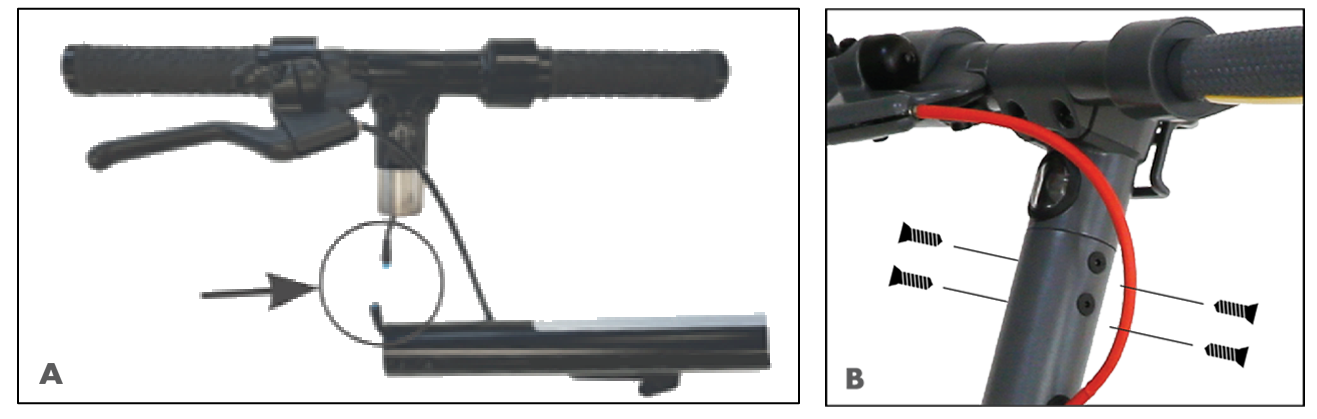
- Connect the black power cable in the handlebar to the cable connector in the steering post (Image A).
- Attach the handlebar to the steering post with the four screws provided in the box (Image B). Use the included wrench to tighten the screws securely without over-tightening, which could strip the heads.
- Plug the AC adapter into the SR-5S and then into the wall outlet until the green light displays on the adapter — the SR-5S is then fully charged.
Read Your Safety Instructions Before Riding
Make sure to read the detailed safety instructions in your supplied SR-5S User Manual before riding.
Download Owner’s Manual (English)
Lift & Lock the Steering Column
With one foot on the scooter deck, raise and push the handlebars forward until the folding mechanism clicks into place. Secure it by turning the locking ring until the marking points towards the locked symbol.
When You’re Finished Riding
Unlock the locking ring and place one foot on the scooter deck. Gently push the handlebars away from your body with one hand and pull the locking mechanism up to release the steering column into the folded position.

Display Functions
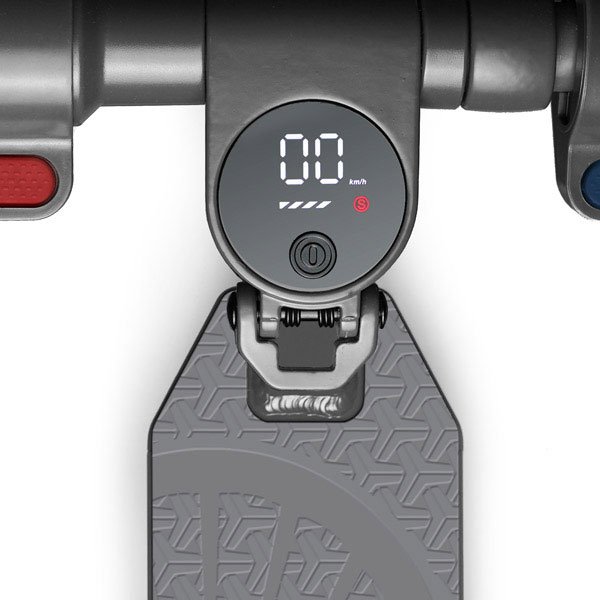
- Press the power button once briefly to turn on the e-scooter.
- Press once briefly during operation to switch the lights on or off.
- Press twice briefly during operation to switch between speed modes:
- 9.5 mph — default mode
- 12.5 mph — the (S) symbol lights up green
- 15.5 mph — the (S) symbol lights up red
- Press three times briefly to switch cruise control on or off.
- Hold for about 3 seconds continuously to turn off.
The 5 bars show the current battery charge. If only the left bar lights up, switch off and charge the e-scooter immediately.

Before Riding Your SR-5S
- Allow the battery to charge fully before using the e-scooter for the first time.
- Check your e-scooter before every ride (see the user manual section on storage, maintenance and cleaning).
- Wear comfortable clothing and suitable, sturdy shoes while riding.
- Before your first ride, make sure you have plenty of space and no obstacles in the way.
- Wear a safety helmet for your own protection.

Riding the SR-5S
- Turn on the e-scooter and the lights (see “Display functions”).
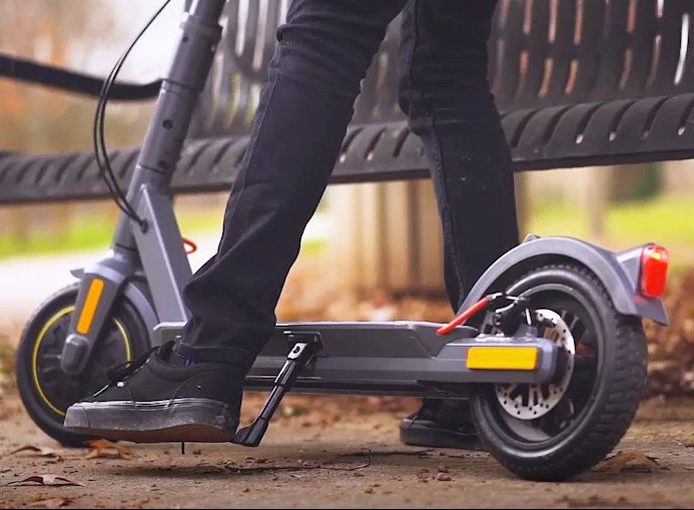
- Hold the handlebars firmly by both handles and place one foot on the deck.
- Push off with the other foot to accelerate. For safety, motor support is only active from 1.8 mph and above.
- Use the thumb throttle to accelerate.
- To brake, use the rear disc brake (brake lever) or the electric front brake (thumb brake).
Additional Notes on Safety
1. Be familiar with the throttle and both brakes before riding. 2. Look over both shoulders before every ride. 3. Never ride while impaired by alcohol or other drugs, including prescription medications. 4. Don’t use a mobile phone while riding. 5. Ensure you have enough battery charge for your trip. 6. Check tires and wheels frequently for uneven wear and road debris. 7. Don’t hang bags or objects from the handlebars — use the hook on the steering column. 8. Carry a lock to secure the scooter while parked. 9. Don’t ride while carrying large or sharp objects. 10. Follow all local and national regulations for riding e-scooters on roads, cycle paths, sidewalks and public places.


Connecting to the Shell RIDE App
Find the app in the Google Play Store (Android) and the Apple App Store (iOS) — search “Shell RIDE”:
- Download the app on your mobile device.
- Activate Bluetooth on your device.
- Switch on the e-scooter.
- Load the app.
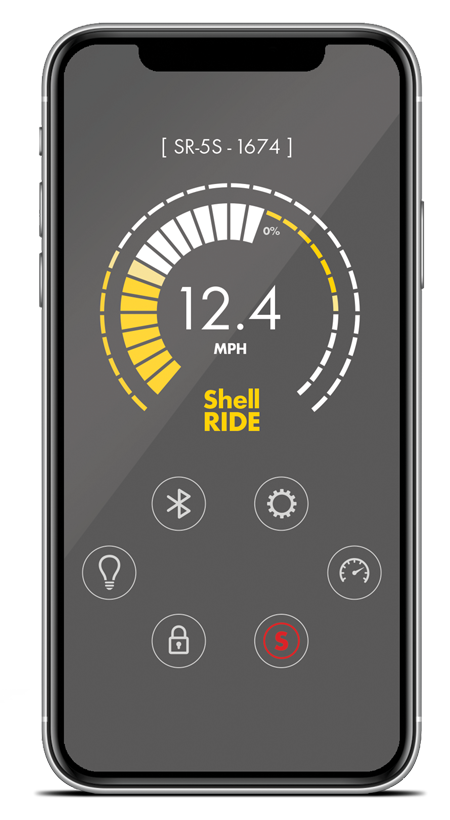
- Select your e-scooter in the app — you can choose speed modes, switch lights on/off, view distances traveled, and get firmware updates.